

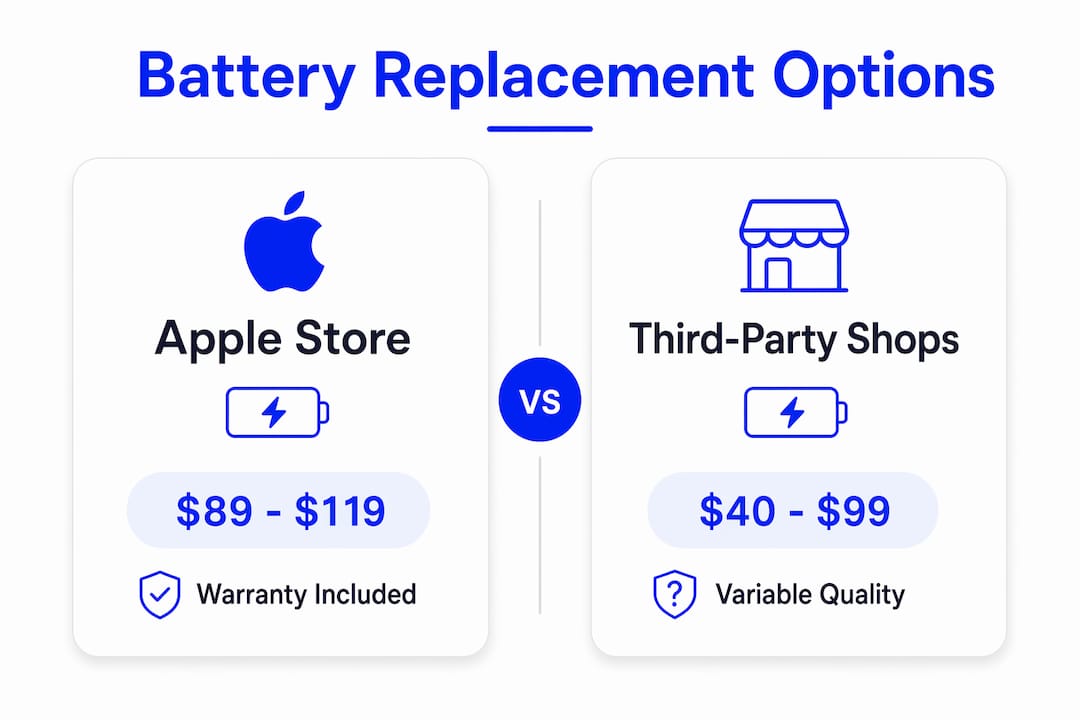
For most U.S. iPhone owners, the right call is Apple or a trusted local repair shop like Kronnos-technology. Apple charges $89–$119 for battery replacement out-of-warranty depending on model; local repair shops usually offer lower cost options from $40–$99; iFixit DIY kits are typically priced $30–$60. The trigger to act: once your Maximum Capacity drops below a certain threshold, Apple’s own guidance says it’s time.
Before you do anything else:
- Go to Settings > Battery > Battery Health & Charging and note your Maximum Capacity percentage.
- Back up your iPhone to iCloud or your Mac before any service appointment.
- If you’re on iOS 16 or later, check whether cycle count is visible (iOS 17+ surfaces it under Battery Health on some models).
Pro Tip: Screenshot your Battery Health screen right now. You’ll want that number when you call a shop or walk into an Apple Store.
A fresh battery can add 1–3 years of useful life to a phone that otherwise runs fine. That math almost always beats buying a new device.
Table of Contents
- Where can you get an iPhone battery replaced?
- How do you know your battery actually needs replacing?
- What does iPhone battery replacement cost, and how long does it take?
- What trade-offs actually matter, and what happens during the repair?
- Is DIY iPhone battery replacement worth the risk?
- How do you choose the right repair provider?
- Key Takeaways
- What repair technicians see that most guides don’t mention
- Kronnos-technology: local iPhone battery service with same-day turnaround
- Useful sources and further reading
Where can you get an iPhone battery replaced?
Five service channels exist, and they’re not interchangeable. Here’s what each one actually delivers:
- Apple Store / Apple mail-in: Genuine OEM parts, a 90-day repair warranty, and predictable pricing. Many stores complete the job same-day by appointment. Mail-in adds several days of shipping time but works if you’re not near a store.
- Apple Authorized Service Providers (Best Buy, for example): Functionally similar to Apple on parts and warranty. Availability varies by location, but they’re a solid alternative when an Apple Store isn’t convenient.
- Local third-party repair shops (Kronnos-technology): Often faster walk-in turnaround and lower cost. The best shops use OEM-equivalent or premium aftermarket batteries and back them with multi-month warranties. Ask specifically about parts sourcing before you hand over the phone.
- Mail-in third-party services: Useful if you’re in a rural area with no local options. Budget 3–7 business days including shipping, and understand that you’re adding transit risk to an already-open device.
- DIY kits (iFixit and others): The cheapest route at $30–$60 for a kit with tools and battery. Appropriate if you have repair experience. Not appropriate if you’ve never opened a phone before or if your device is still under AppleCare+.
| Channel | Typical Cost | Turnaround | Parts Quality | Warranty |
|---|---|---|---|---|
| Apple Store / mail-in | $89–$119 | Same-day / several days | Genuine OEM | 90 days |
| Apple Authorized Provider | $89–$119 | Same-day (varies) | Genuine OEM | 90 days |
| Local shop (e.g., Kronnos-technology) | $40–$99 | short turnaround typical | OEM-equivalent or premium aftermarket | Warranty terms vary (ask) |
| Mail-in third-party | $40–$99 | turnaround time varies | Parts quality varies | Warranty varies |
| DIY kit (iFixit) | $30–$60 | schedule flexible | Aftermarket parts | Kit warranty only |
How do you know your battery actually needs replacing?
Don’t pay for a replacement you don’t need. Run through this diagnostic first.
- Open Settings > Battery > Battery Health & Charging.
- Read your Maximum Capacity percentage. Apple recommends replacement below 80%; repair experts commonly treat 77% or lower as clearly degraded.
- Check Peak Performance Capability. If iOS has enabled performance management (throttling), that’s a direct signal the battery can no longer deliver peak power.
- On iOS 17 and later, look for cycle count in the Battery Health screen. A high cycle count combined with low capacity is a reliable double-confirmation.
- Run a full charge-to-100%, then use the phone normally and note how many hours of screen-on time you get before it needs charging again.
Symptoms that point toward replacement:
- Battery drains noticeably faster than it did six months ago.
- Unexpected shutdowns, especially under load (gaming, video, navigation).
- Phone runs hot during normal tasks.
- Charge-to-100% takes significantly longer than it used to.
- Screen-on time has dropped by an hour or more compared to when the phone was new.
Pro Tip: Enable Battery Usage by App (Settings > Battery, scroll down). If one app is consuming 40%+ of daily usage, that’s a software drain issue, not a battery issue. Fix the app first.
What does iPhone battery replacement cost, and how long does it take?
Apple out-of-warranty pricing runs $89–$119 depending on model. If you have AppleCare+, Apple will replace the battery at no additional charge when Maximum Capacity falls below 80%. That’s a meaningful benefit if you’re already paying for the plan.
Third-party and local shop pricing typically falls in the $40–$99 range, with the spread driven by model complexity and battery quality tier. A budget battery in an older model costs less; a premium OEM-equivalent battery in an iPhone 15 Pro costs more.
DIY kit costs from iFixit average $30–$60, which includes tools and the replacement battery. Raw batteries sold online can be cheaper, but they typically exclude tools and any quality guarantee. The savings versus Apple’s price are real, roughly $34–$49, but so are the risks.
Turnaround by channel:
- Apple Store / authorized provider: typically same-day turnaround by appointment in many locations.
- Local repair shops: often offer same-day service with relatively short turnaround time.
- Mail-in services: turnaround times vary depending on shipping and processing.
- DIY: however long it takes you, with no safety net.
Pro Tip: Book an Apple Genius Bar appointment online before you go. Walk-ins are possible but can mean a 2–3 hour wait or a same-day reschedule.
What trade-offs actually matter, and what happens during the repair?
The price difference between Apple and a local shop is real. So is the difference in what you get for that price.
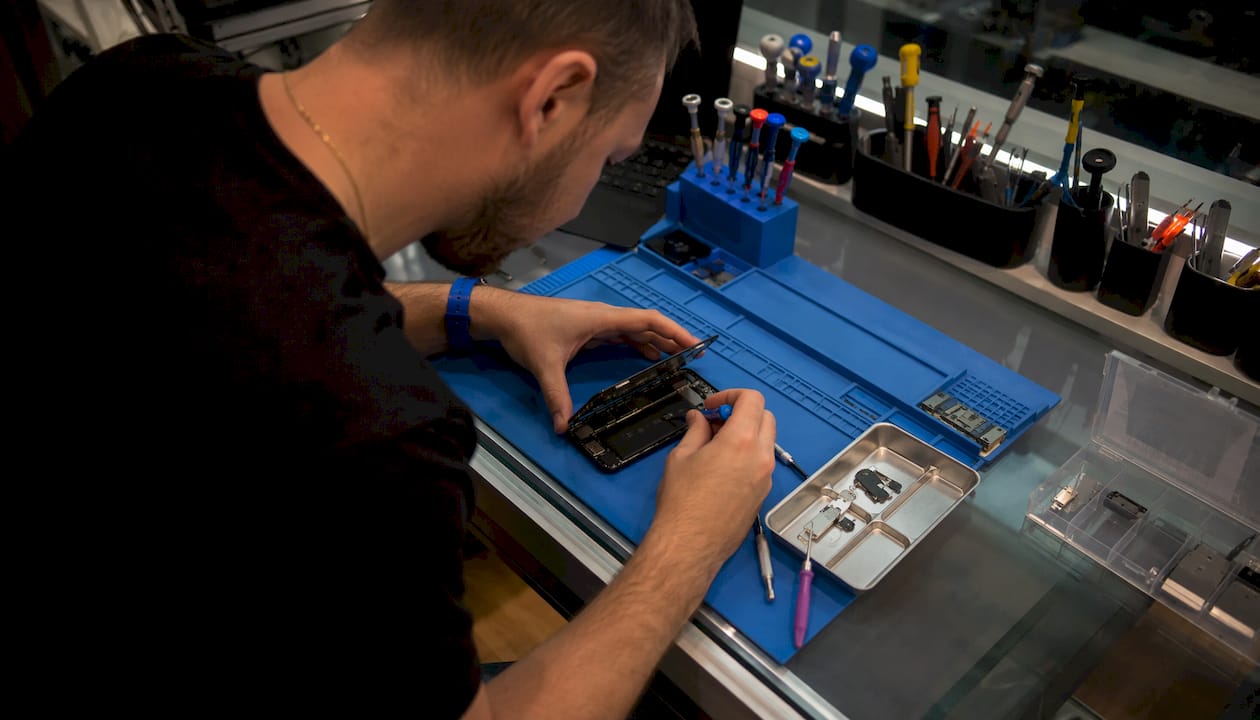
Parts quality tiers matter more than most people realize. Budget aftermarket batteries often hit 80% health within 7–10 months; premium OEM-equivalent batteries approximate Apple’s own cycle life of roughly 450–550 cycles. If you’re keeping the phone for two more years, the $20 you save on a budget battery will cost you another replacement inside 12 months.
Data and privacy: A reputable shop runs diagnostics without needing your Apple ID password or passcode. Back up before you go. If a technician asks you to disable Find My iPhone, that’s standard for some repair workflows. If they ask for your Apple ID credentials, that’s a red flag.
What actually happens during a professional repair:
- Pre-repair diagnostics: technician reads Maximum Capacity, cycle count, and any active error codes.
- You review and approve the parts, price, and warranty terms in writing.
- Battery replacement: adhesive removal, careful connector handling, new battery installation.
- Post-repair diagnostic: technician confirms new battery health is reporting correctly in iOS.
- You receive a warranty document covering parts and labor.
Trust signals worth requesting before you approve any repair:
- Written confirmation of genuine or OEM-equivalent parts.
- Warranty length stated in writing (90 days minimum is a reasonable floor).
- Before-and-after diagnostic report.
- Transparent, itemized pricing with no surprise fees.
- On-site repair (not sent to a third location).
Pro Tip: Ask specifically: “What brand is the replacement battery, and what cycle life does it carry?” A shop that can answer that question confidently is one that actually knows what it’s installing.
Is DIY iPhone battery replacement worth the risk?
Sometimes yes, often no. The honest answer depends on your model and your experience level.
DIY makes sense when:
- You’ve opened a phone before and understand connector handling.
- You’re working on an older model (iPhone X through iPhone 13) where adhesive and component placement are well-documented.
- You’re using a model-specific iFixit guide and a quality kit, not a $12 battery from an unknown seller.
- The phone is out of warranty and you’re comfortable accepting the risk.
Model-specific risks to know: Starting with iPhone 14, Apple changed to a back-access design with different adhesive behavior. iPhone 16 models introduced further changes to debonding. These aren’t impossible to navigate, but they raise the difficulty level considerably for a first-timer.
The real DIY risks:
- Torn battery pull-tabs that leave adhesive stuck and require heat tools.
- Punctured battery from a misplaced pry tool (a genuine fire hazard).
- Damaged display connectors or Taptic Engine cables during battery removal.
- Broken waterproof seals that void any remaining coverage.
- Loss of Apple warranty or AppleCare+ eligibility from unauthorized repair.
Pro Tip: If your phone has any secondary issue — cracked screen, water damage history, or Face ID problems — do not attempt DIY. A technician needs to assess those before touching the battery.
Skip DIY entirely if: the device is still under AppleCare+, you need guaranteed same-day service, or you’ve never repaired a phone before. The $30–$50 you save is not worth a bricked device.
How do you choose the right repair provider?
One checklist, five questions. Ask every one of them before you commit.
- Do you use genuine or OEM-equivalent parts? If the answer is vague (“quality parts”), push for specifics.
- What is the warranty on parts and labor, and is it in writing? Ninety days is a reasonable minimum.
- Can you show me a diagnostics report before the repair starts? A shop that runs pre-repair diagnostics is one that stands behind its work.
- Is the repair done on-site, or does the device leave your location? On-site is always preferable for data security.
- Is the technician certified or trained on this model? Apple Certified or manufacturer-trained matters on Face ID-era devices.
Red flags that should make you walk away:
- No written warranty offered.
- Price is dramatically lower than the market range with no explanation of why.
- Pressure to leave the device without a backup or without a written repair estimate.
- Vague or evasive answers about parts sourcing.
- Turnaround time stated as “a few days” with no firm commitment.
Balancing price against longevity: For a phone you plan to keep for two or more years, pay for a premium battery. Premium aftermarket batteries approximate OEM cycle life, which means you won’t be back in six months. For a phone you’re replacing next year anyway, a mid-tier option from a reputable shop is perfectly reasonable.
Pro Tip: Check Google reviews specifically for battery replacement mentions, not just overall ratings. A shop with 4.8 stars but no reviews mentioning battery service hasn’t proven that specific skill publicly.
Key Takeaways
If your Maximum Capacity is below 80% and you’re experiencing shutdowns or fast drain, back up your iPhone now and book a repair with Apple or a trusted local shop before the battery degrades further.
| Point | Details |
|---|---|
| Check before you spend | Run Settings > Battery > Battery Health; replace only when Maximum Capacity is below 80%. |
| Cost range by channel | Apple charges $89–$119 out-of-warranty; local shops run $40–$99; iFixit DIY kits cost $30–$60. |
| Parts quality determines longevity | Budget batteries can degrade to 80% health in 7–10 months; premium OEM-equivalent batteries last 450–550 cycles. |
| DIY has real risks | Adhesive, connector, and waterproof-seal damage are common; skip DIY on newer models or AppleCare+ devices. |
| Kronnos-technology for local service | Kronnos-technology offers same-day or next-day iPhone battery replacement with genuine or OEM-equivalent parts, pre/post diagnostics, and a parts-and-labor warranty. |
What repair technicians see that most guides don’t mention
The most common mistake customers make isn’t choosing the wrong service channel. It’s showing up without a backup and without knowing their battery health number. A technician who has to spend ten minutes convincing a customer to back up their phone before the repair starts is a technician who can’t start the repair. That delay is avoidable.
The second pattern worth flagging: customers who attempted DIY and damaged a display connector or torn a battery tab. Professional shops handle adhesive removal and connector safety as a matter of routine because they’ve seen what happens when those steps go wrong. Premium batteries also carry battery management system circuits that communicate accurately with iOS, so the health percentage you see after a professional replacement is a real number, not a guess.
Customers who choose local professional service consistently cite three reasons: they get their phone back the same day, they receive a written warranty, and they never had to hand over a password. Those aren’t small things.
Kronnos-technology: local iPhone battery service with same-day turnaround
Skip the days-long mail-in wait. Kronnos-technology offers local iPhone battery replacement using genuine or OEM-equivalent parts, with same-day or next-day turnaround where possible. Every repair starts with a pre-repair diagnostic report so you know exactly what you’re paying for, and ends with a post-repair battery health check so you can confirm the new battery is performing correctly.

Technicians at Kronnos-technology are experienced with Face ID-era devices, handle adhesive removal and connector safety as standard practice, and provide transparent, itemized pricing with no surprise fees. Parts and labor are backed by a written warranty. Your data stays on your device; no account credentials are ever required.
To book an iPhone battery replacement or check availability, visit the Kronnos-technology services page or go to the Kronnos-technology home page for a full overview of repair options.
Useful sources and further reading
- Apple Battery Service and Repair: Official Apple guidance on battery replacement eligibility, pricing, and how to start a service request through Apple.
- iFixit iPhone Battery Replacement Guide: Model-specific step-by-step repair guides, parts quality notes, and DIY cost and savings data.
- iPhone Battery Replacement Cost Calculator — Tech How: Aggregated pricing by model, the 80% replacement threshold, and turnaround time benchmarks.
- iPhone Battery Replacement Cost 2026 — Phone Repair Spares: Third-party pricing ranges, battery quality tier comparisons, and cycle-life data.
- Apple Support — Start a Service Request: Apple’s official portal to schedule a repair, check coverage, and contact Apple Support directly.
- Kronnos-technology Services: Local repair booking, battery replacement service details, and contact information for Kronnos-technology.