

For most people, the best iPhone screen replacement comes from a trusted local repair shop or an Apple-authorized provider — not necessarily Apple itself, and not DIY unless you know exactly what you’re doing.
Quick picks by situation:
- AppleCare+ holders: Use Apple’s service. Your accidental damage fee is around $29 per incident, which almost always beats any alternative.
- No AppleCare+, want a reliable fix fast: A reputable local shop like Kronnos-technology offers same-day service with genuine or OEM-equivalent parts, transparent pricing, and a written warranty.
- Budget-conscious, technically confident: A DIY kit from iFixit can cut costs significantly, but you accept the risks around parts pairing, waterproofing, and sensor functionality.
- Complex damage (frame, back glass, Face ID issues): Go straight to Apple or an Apple-authorized provider.
Table of Contents
- How do the main iPhone screen replacement options compare?
- What does iPhone screen replacement actually cost in the U.S.?
- Where can you get your iPhone screen replaced?
- Does panel quality actually matter for your replacement screen?
- Should you replace your iPhone screen yourself?
- How does AppleCare+ change your repair options?
- How long does screen repair take, and how should you prepare?
- How do you choose the right repair option for your situation?
- Key Takeaways
- Why a trusted local shop is often the smartest call
- Get your iPhone screen fixed today with Kronnos-technology
- Useful sources and further reading
How do the main iPhone screen replacement options compare?
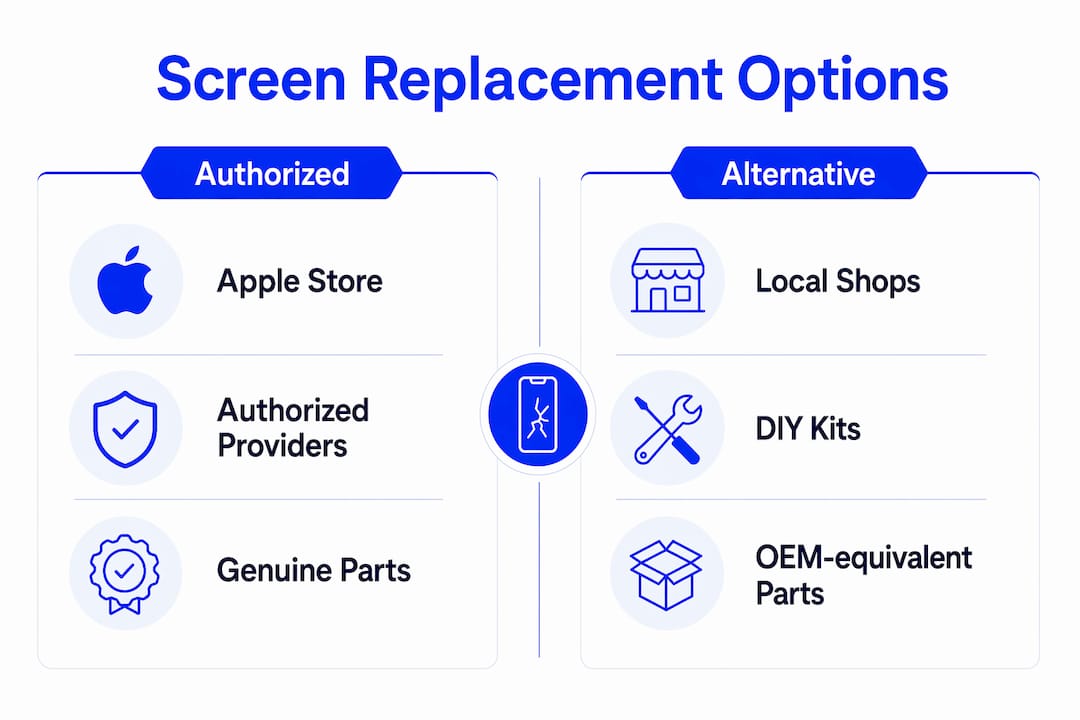
| Option | Typical cost | Turnaround | Parts quality | Warranty | Data handling |
|---|---|---|---|---|---|
| Apple Store | $129–$329+ (out-of-warranty) / $29 with AppleCare+ | Same-day to 3–5 days (mail-in) | Genuine Apple | Apple limited warranty | Apple privacy policy; no third-party access |
| Apple-authorized (e.g., Best Buy / Geek Squad) | Similar to Apple pricing | Same-day to next-day | Genuine Apple parts | Apple-backed warranty | Authorized technicians; Apple privacy standards |
| Local repair shop (e.g., Kronnos-technology) | $80–$200 depending on model and panel | Same-day to next-day | Genuine or OEM-equivalent | Shop warranty (typically 90 days–1 year) | Device stays local; ask about data policy |
| DIY kit (e.g., iFixit, RepairPartsUSA) | $40–$120+ depending on model and panel type | Your time (30 min–several hours) | Aftermarket; quality varies widely | Parts warranty only; no labor coverage | You control the device throughout |
Red flags to watch for in any quote: no stated parts provenance, a vague or verbal-only warranty, an unusually low price with no diagnostics offered, and no post-repair testing protocol.
What does iPhone screen replacement actually cost in the U.S.?
Pricing depends on three things: your iPhone model, the panel technology (OLED vs. LCD), and whether you have AppleCare+.
Out-of-warranty Apple pricing runs from around $129 for older LCD models up to $329 or more for current Pro and Pro Max models with OLED displays. Apple publishes exact figures by model on its screen replacement page.
AppleCare+ changes the math entirely. The plan covers accidental damage at a flat fee per incident. For a screen break, that fee is $29 — far below what you’d pay out-of-warranty on any current iPhone. If you’ve ever cracked a screen before, the plan pays for itself on the first incident for most models.
Local shops generally charge $80–$200 for most models, with price driven by panel type. A shop using a soft OLED panel (the closest match to Apple’s original display) will charge more than one using a hard OLED or LCD, and rightly so. Ask specifically which panel type is included in the quote.
DIY kits from vendors like iFixit and RepairPartsUSA start around $40 for LCD panels on older models. iFixit reports average Screen Fix Kit prices near $81 for many older models, though newer Pro models with soft OLED panels push that higher. The savings are real for older iPhones; for current Pro models, the gap narrows considerably.
| Repair route | Typical price range | Panel type included |
|---|---|---|
| Apple (out-of-warranty) | $129–$329+ | Genuine Apple OLED/LCD |
| Apple (with AppleCare+) | $29 per incident | Genuine Apple |
| Apple-authorized shop | Comparable to Apple | Genuine Apple |
| Local shop (LCD panel) | $80–$130 | Aftermarket or OEM-equivalent LCD |
| Local shop (soft OLED) | $130–$200+ | OEM-equivalent soft OLED |
| DIY kit (LCD) | $40–$80 | Aftermarket LCD |
| DIY kit (soft OLED) | $80–$120+ | Aftermarket soft OLED |
Where can you get your iPhone screen replaced?
Apple Store and Apple.com
Apple offers in-person service at Apple Stores (appointment via Genius Bar or walk-in, availability varies), mail-in service through Apple’s website, and in some areas, onsite repair through Apple’s partnership programs. Mail-in typically takes 3–5 business days. In-store same-day service is available when parts are in stock and your appointment slot allows it.
Apple-authorized providers (Best Buy / Geek Squad)
Best Buy’s Geek Squad operates as an Apple Authorized Service Provider, meaning technicians use genuine Apple parts and follow Apple’s repair procedures. Pricing mirrors Apple’s, and repairs often qualify for same-day or next-day turnaround. This is a solid option if you’re near a Best Buy but not near an Apple Store.
Local repair shops
A good local shop handles drop-off diagnostics, in-shop replacement, and hands the phone back the same day in most cases. The advantage over mail-in is obvious: you’re not without your phone for a week. Kronnos-technology, for example, runs full diagnostics before quoting, uses genuine or OEM-equivalent parts, and backs repairs with a written warranty. You also know exactly where your device is the entire time.
Mail-in services
Mail-in works if you have a backup device and can wait. Turnaround is typically 5–10 business days including shipping both ways. Track your shipment, photograph the device before sending, and confirm the shop’s data-handling policy in writing before you ship.
Pro Tip: Before booking any repair, have your iPhone model (Settings → General → About), storage size, and AppleCare+ status ready. It takes 30 seconds and prevents the shop from giving you a placeholder quote that changes at drop-off.
Does panel quality actually matter for your replacement screen?
Yes, and it’s the single biggest factor explaining price differences between shops.
iFixit advises that soft OLED panels best replicate Apple’s original display specs. Hard OLED panels are a step down in color accuracy and touch response. LCD replacements are the cheapest option but show the most visible difference, particularly on any iPhone that originally shipped with an OLED display.
Here’s what panel choice affects in practice:
- Color accuracy: Soft OLEDs match Apple’s original calibration closely; LCDs often look cooler or washed out by comparison.
- Touch responsiveness: Aftermarket panels, especially hard OLEDs and LCDs, can feel slightly less responsive or have a different tactile quality.
- True Tone and auto-brightness: These features rely on sensor pairing. Parts pairing means non-genuine displays may not restore True Tone even after calibration, depending on the model and iOS version.
- Durability: Soft OLEDs are generally more impact-resistant than LCD alternatives.
When getting a quote, ask the shop directly: “Is this a soft OLED, hard OLED, or LCD panel, and is it OEM-equivalent or aftermarket?” A shop that can’t answer that question clearly is one to avoid.
Pro Tip: For any iPhone that originally shipped with OLED (iPhone X and later), paying the premium for a soft OLED replacement is worth it. The color and touch difference between soft OLED and LCD is immediately obvious in daily use.
Should you replace your iPhone screen yourself?
DIY is viable for some people and a bad idea for others. Be honest about which category you’re in.
You’re a reasonable DIY candidate if you:
- Have replaced a phone screen or done similar electronics work before.
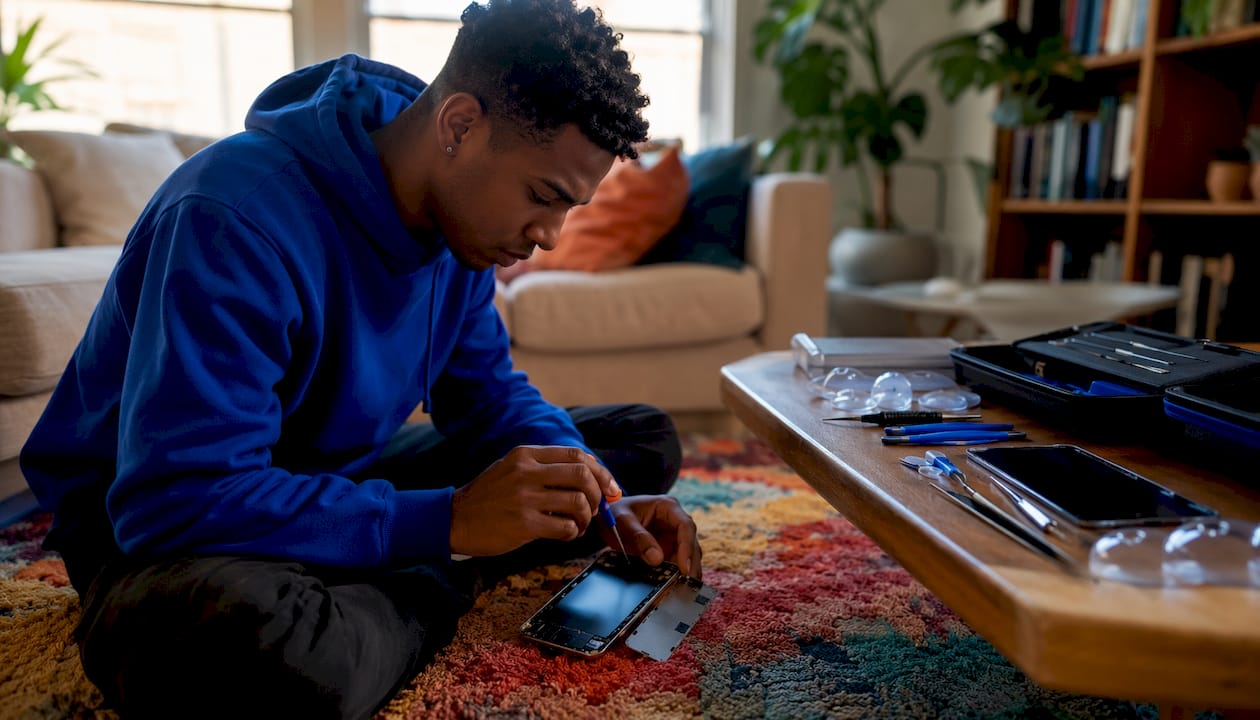
- Own or can borrow the right tools: pentalobe screwdrivers, suction cups, spudgers, and adhesive strips.
- Are working on an older iPhone model (pre-iPhone 12) where parts pairing is less restrictive.
- Have already backed up your data and accept the risks below.
Risks you need to accept before starting:
- Data loss if the repair goes wrong and the device won’t boot.
- Sensor damage: Face ID components sit behind the display assembly. Damaging the TrueDepth camera array during removal is permanent — Apple cannot restore Face ID if the original sensor is physically damaged.
- Lost waterproofing: Screen replacement breaks the original IP-rated adhesive seal. Reassembly with aftermarket adhesive strips rarely matches OEM ingress protection.
- Parts pairing issues: Non-genuine displays may trigger warnings in iOS or limit features like True Tone and auto-brightness.
Before you open the phone:
- Apply overlapping strips of clear packing tape across the cracked face. iFixit’s repair guides recommend this to contain glass shards and improve suction-cup grip on heavily cracked glass.
- Discharge the battery to below 25% to reduce fire risk if the battery is punctured.
- Work on a clean, static-free surface with good lighting.
DIY repair time ranges from about 30 minutes for an experienced repairer on a familiar model to a couple of hours for a first attempt on a newer iPhone. Budget more time than you think you need.
How does AppleCare+ change your repair options?
AppleCare+ is essentially an insurance product for your device. The plan covers accidental damage, including screen breaks, at a flat fee of $29 per incident rather than the full out-of-warranty price. Paying for AppleCare+ plus the $29 screen repair fee is often cheaper than a single out-of-warranty replacement for many iPhone models — sometimes by $100 or more.
A few things to know about coverage:
- AppleCare+ has a limited number of accidental damage incidents per 12-month period.
- You must enroll within 60 days of purchasing a new iPhone (or at the time of purchase).
- Repairs under AppleCare+ use genuine Apple parts and are performed by Apple or Apple-authorized technicians.
- Using a non-authorized shop for any repair may affect Apple’s willingness to service other components under the plan.
Local shop warranties work differently. Most reputable shops offer a 90-day to one-year parts-and-labor warranty on the screen replacement itself. That warranty covers defects in the replacement panel and workmanship, not accidental damage. Verify the warranty is written, not verbal, and ask what the process is if the screen develops a problem within the warranty period.
Pro Tip: Before handing your phone to any shop, photograph the device from all angles and note existing damage in writing. This protects you if a dispute arises about pre-existing damage versus repair-related damage.
How long does screen repair take, and how should you prepare?
Typical timelines:
- Apple Store (in-person): Same-day if parts are in stock and you have an appointment; walk-ins may wait several hours.
- Apple-authorized shop: Same-day to next-day in most cases.
- Local repair shop: Same-day for most models; some complex repairs take until the next business day.
- Mail-in: 5–10 business days including shipping both ways.
Pre-repair checklist:
- Back up your iPhone to iCloud or your computer before dropping it off. This is non-negotiable.
- Disable Find My iPhone if the shop requires it (Settings → [Your Name] → Find My → Find My iPhone → Off). Some shops need this to complete diagnostics.
- Remove your SIM card and keep it safe.
- Take off your case and any screen protector.
- Note all existing damage in writing and share it with the shop at drop-off.
- Ask the shop directly: “Will you test the phone with my accounts logged in?” A reputable shop tests functionality without needing your credentials.
One thing most people overlook: screen replacement almost always breaks the original waterproof seal. Repair guides warn that restoring the original IP rating requires replacement adhesive strips applied correctly — amateur reassembly typically doesn’t match OEM ingress protection. If water resistance matters to you, ask the shop specifically about their resealing process.
How do you choose the right repair option for your situation?
Start with these four questions:
- Do you have AppleCare+? If yes, use Apple or an authorized provider. The math is almost always in your favor.
- How urgent is the repair? Same-day service is available from Apple Stores, authorized shops, and good local shops. Mail-in is not a same-day option.
- How important are original features (True Tone, auto-brightness, Face ID)? If these matter, prioritize genuine Apple parts or a shop using OEM-equivalent soft OLED panels.
- What’s your budget ceiling? DIY saves money on older models; the savings shrink on current Pro models.
Trust signals to look for in a shop or quote:
- Published pricing (not “call for a quote” with no ballpark)
- Written warranty with a clear claims process
- Technician certifications or Apple-authorized status
- Ability to name the panel brand and type they’re installing
- Post-repair testing before you leave the shop
Red flags:
- Verbal-only warranty
- No diagnostics before quoting
- Unusually low price with no explanation of parts sourcing
- Reluctance to answer questions about panel type
Kronnos-technology publishes its pricing, uses genuine or OEM-equivalent parts, and provides a written warranty on every screen repair. Those are the baseline standards worth expecting from any shop you consider.
Key Takeaways
The best iPhone screen replacement for most people without AppleCare+ is a reputable local shop using genuine or OEM-equivalent soft OLED parts, with a written warranty and same-day turnaround.
| Point | Details |
|---|---|
| AppleCare+ changes the math | AppleCare+ screen repair is cheaper than out-of-warranty service for most current iPhone models at a flat fee of $29 per incident. |
| Panel type drives quality | Soft OLED replacements best match Apple’s original display; LCD panels degrade color and touch on OLED-native iPhones. |
| Back up before any repair | Data loss risk is real — back up to iCloud or a computer before dropping off or opening the device. |
| DIY suits older models best | DIY kits save the most on older iPhones; parts pairing and sensor risks make DIY riskier on current models. |
| Kronnos-technology | Offers same-day iPhone screen repairs with genuine or OEM-equivalent parts, transparent pricing, and a written warranty. |
Why a trusted local shop is often the smartest call
The conventional wisdom says: “Go to Apple for the best repair.” That’s true when you have AppleCare+ or when the damage involves components only Apple can pair (such as Face ID sensors). But for a straightforward screen replacement on an out-of-warranty iPhone, Apple’s pricing is high and the wait for an appointment can stretch days.
What most people underestimate is how much a good local shop closes that gap. Kronnos-technology runs full diagnostics before touching the device, which means you’re not paying for a screen replacement when the underlying issue is something else. The shop uses genuine or OEM-equivalent parts, backs the repair with a written warranty, and typically turns the job around the same day. That combination of speed, accountability, and cost is hard to match through mail-in or a big-box authorized provider.
There are cases where Kronnos-technology will tell you to go to Apple instead: if Face ID has stopped working and the TrueDepth camera assembly is involved, or if you need back-glass and frame repair on a current Pro model where Apple’s tooling is genuinely superior. Honest shops know their limits. The ones that claim they can fix everything equally well are the ones to be skeptical of.
Get your iPhone screen fixed today with Kronnos-technology
A cracked screen doesn’t have to mean days without your phone or an expensive trip to the Apple Store. Kronnos-technology offers same-day iPhone screen repairs using genuine or OEM-equivalent parts, with transparent pricing and a written warranty on every job.
Every repair starts with a full diagnostic so you know exactly what’s wrong before any work begins. Technicians will tell you the panel type being installed, walk you through the warranty terms, and test the device fully before it leaves the shop. Your data stays on your device throughout — no accounts, no credentials needed.
Book a repair or request a quote directly through the Kronnos-technology website, or visit the services page to see the full range of screen and device repair options available. Same-day slots fill quickly, so booking ahead is worth it.
Useful sources and further reading
For model-specific DIY walkthroughs, official service pages, and parts references:
- iFixit iPhone Screen Repair Guide — pricing comparisons, panel-type explanations, and model-by-model repair considerations.
- iFixit iPhone 16 Screen Replacement — step-by-step guide including the Repair Assistant calibration flow for True Tone restoration.
- iFixit iPhone 14 Screen Replacement — detailed waterproofing and adhesive guidance for mid-generation models.
- Apple Screen Replacement Support — official out-of-warranty pricing by model and service options.
- iFixit: Parts Pairing and Independent Repair — explains how Apple’s parts pairing affects feature restoration after non-authorized repairs.
- AT&T Cracked Screen Tips — practical advice on protection and what to do immediately after a screen break.
- Kronnos-technology Repair Services — local booking and service details for iPhone screen and device repairs.